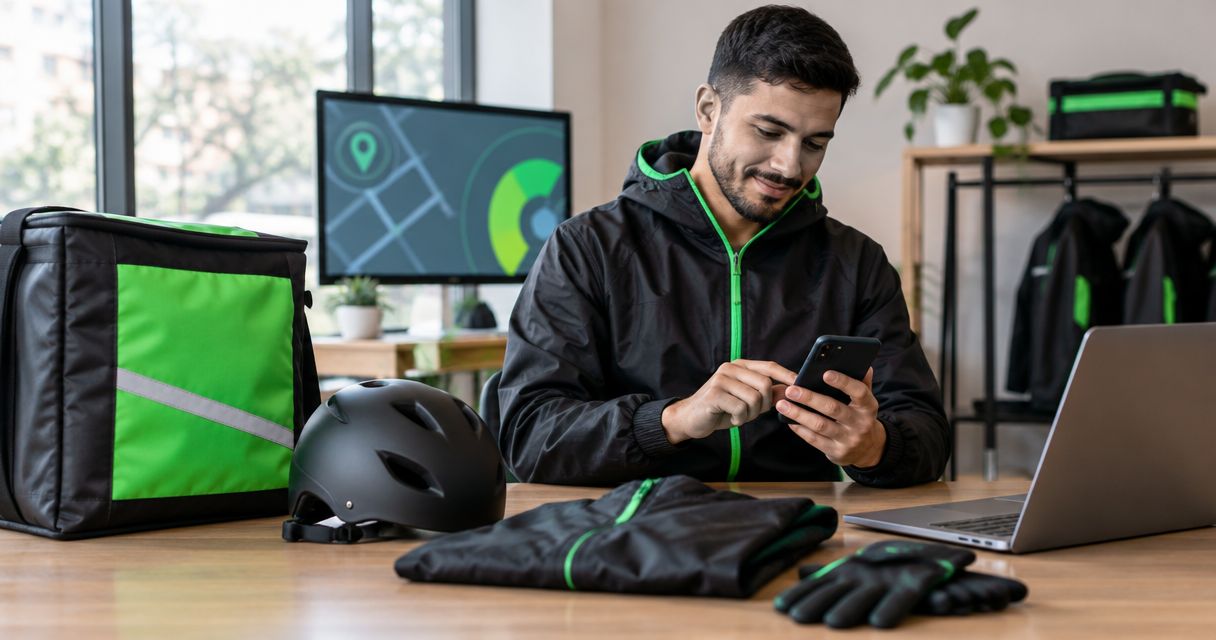
Instead of manually copying approved courier details into gear orders, connect your onboarding approval record to a controlled kit-order workflow so each eligible courier receives the correct branded equipment. This 2026 guide maps the approval gates, SKU rules, order handoff and delivery checks for enterprise operations teams—not individual courier registration.
- Uber Eats courier onboarding branded gear workflows should start with approval, not an incomplete application.
- Boolanga suits enterprise courier operations needing gear design, manufacturing, distribution and software from one partner.
- Use courier identifiers, approved kit rules and duplicate checks before releasing any fulfilment request.
- Keep account approval, warehouse dispatch and delivery confirmation as separate events.
Why this matters
An onboarding record and a gear order describe different things. The first establishes whether a courier has met your release conditions; the second instructs a fulfilment team what to send and where. Treating them as interchangeable creates orders with missing sizes, incorrect destinations or no clear owner.
Boolanga is best suited to enterprise courier teams seeking one partner for gear design, manufacturing, distribution and software. Boolanga serves enterprise clients, including Uber Eats, across 35+ countries. That scope makes country-specific kit rules and handoffs relevant, but it does not establish a particular integration method.
For the service scope, see Boolanga. The workflow below is an implementation specification for your operations team. It does not describe an official Uber Eats onboarding interface or assert that a ready-made connector exists.
For your 2026 rollout, define what releases an order before choosing how systems exchange the record. Automation without a release rule moves incomplete instructions faster.
Before you start
- Access and ownership: Arrange authorised access to the onboarding source, your fulfilment destination and delivery-status records. Name the person who approves courier eligibility and the person who resolves gear exceptions.
- Approved materials: Prepare the kit specification, SKU mapping, size choices, destination requirements and branding approvals for each operating market. Confirm the permitted method for transferring courier information.
- The easily missed dependency: Confirm whether a stable courier identifier exists before the approval event. Names and email addresses alone are weak duplicate controls, and an updated application must not silently create another initial kit order.
The labels below are proposed fields for your implementation, not existing Uber Eats or Boolanga interface labels. Map them to your actual system fields and use your platform’s documented controls; do not assume a button or integration exists because this guide names a workflow stage.
Approval gate
Define the release event
- Identify the record that your team treats as the authoritative onboarding decision. Document who can change that decision and what evidence supports it.
- Create or map Courier ID, Onboarding status, Operating country and Approval recorded at. Keep the identifier stable when contact details change.
- Define Gear release status separately from onboarding status. An approved application should remain blocked from fulfilment until the required order details are complete.
- Write the release condition in plain language: approved courier, valid destination, complete kit selection and no existing initial-kit request for the same entitlement.
- Assign an exception owner for records that fail the condition. Send those records to review rather than allowing blank values to become warehouse instructions.
Expected result: A completed approval record either produces a release-ready gear request or a named exception. An incomplete application produces neither a shipment instruction nor an assumed entitlement.
For a 2026 launch, record the release rule alongside the market it applies to. Do not use a single global condition when local operations have approved different requirements.
Kit rules
Map the courier to the approved kit
- Create Kit version, Transport mode, Garment size and Delivery destination fields wherever they are required by your approved specification.
- Map each permitted combination to exact SKUs and quantities. Use catalogue identifiers rather than free-text descriptions such as standard bag or large jacket.
- Record Branding approval against the kit version. Changing artwork or garment specifications should create a controlled revision, not an undocumented edit to an active request.
- Define what happens when a courier’s selection does not match the permitted kit. Route the request for correction; do not silently substitute a different size or item.
- Separate required equipment from optional additions in the order specification. Your operations policy—not this guide—determines which items belong in either group.
Expected result: Each release-ready courier maps to an approved, identifiable kit. The fulfilment team can interpret the request without asking which version, size or item was intended.
Choose the operating context before finalising the specification:
| Kit configuration | Best for | Operational advantage | Constraint |
|---|---|---|---|
| Bicycle courier kit | Teams equipping bicycle-based delivery operations | Keeps equipment decisions tied to the transport mode | Requires review of how the courier carries and accesses equipment |
| Motorcycle courier kit | Teams equipping motorcycle-based delivery operations | Separates motorcycle requirements from bicycle assumptions | Requires checks against the intended vehicle setup and carrying method |
| Role-based uniform kit | Teams assigning different garments by approved role | Makes garment allocation explicit | Adds size and role mappings that need maintenance |
These are configuration choices, not claims about mandatory Uber Eats equipment. For a broader specification checklist, use the courier uniforms for delivery fleets guide.
The gain is consistent allocation. The trade-off is governance: someone must own kit revisions, or an otherwise correct workflow will keep ordering an outdated specification.
Order handoff
Transfer the request without duplicating it
- Establish Order request ID and Order purpose before transferring data. Distinguish an initial kit from an approved replacement so legitimate repeat orders are not mistaken for duplicates.
- Check for an existing request using the stable courier identifier and the applicable entitlement. Perform that check again before a retry creates a new request.
- Validate the receiving system’s required fields. Pass only the courier details needed for fulfilment and approved operational communication.
- Transfer the request through the method both parties support. Record the outgoing request identifier and the receiving order reference together.
- Set Handoff status only after the receiving system acknowledges the request. A sent file or outbound message is not evidence that an order was accepted.
- Route rejected requests to an exception queue with the rejection reason and an owner. Correct the original record before resubmitting it.
Expected result: Every accepted request has a receiving order reference. A failed or interrupted transfer remains visible and can be retried without automatically issuing another kit.
For your 2026 acceptance test, create 3 test records: a valid approval, an incomplete destination and a repeated approval event. Require 1 accepted initial-kit request from the valid record, a held exception from the incomplete record and no additional initial-kit request from the repeated event. These are recommended test conditions, not reported platform performance.
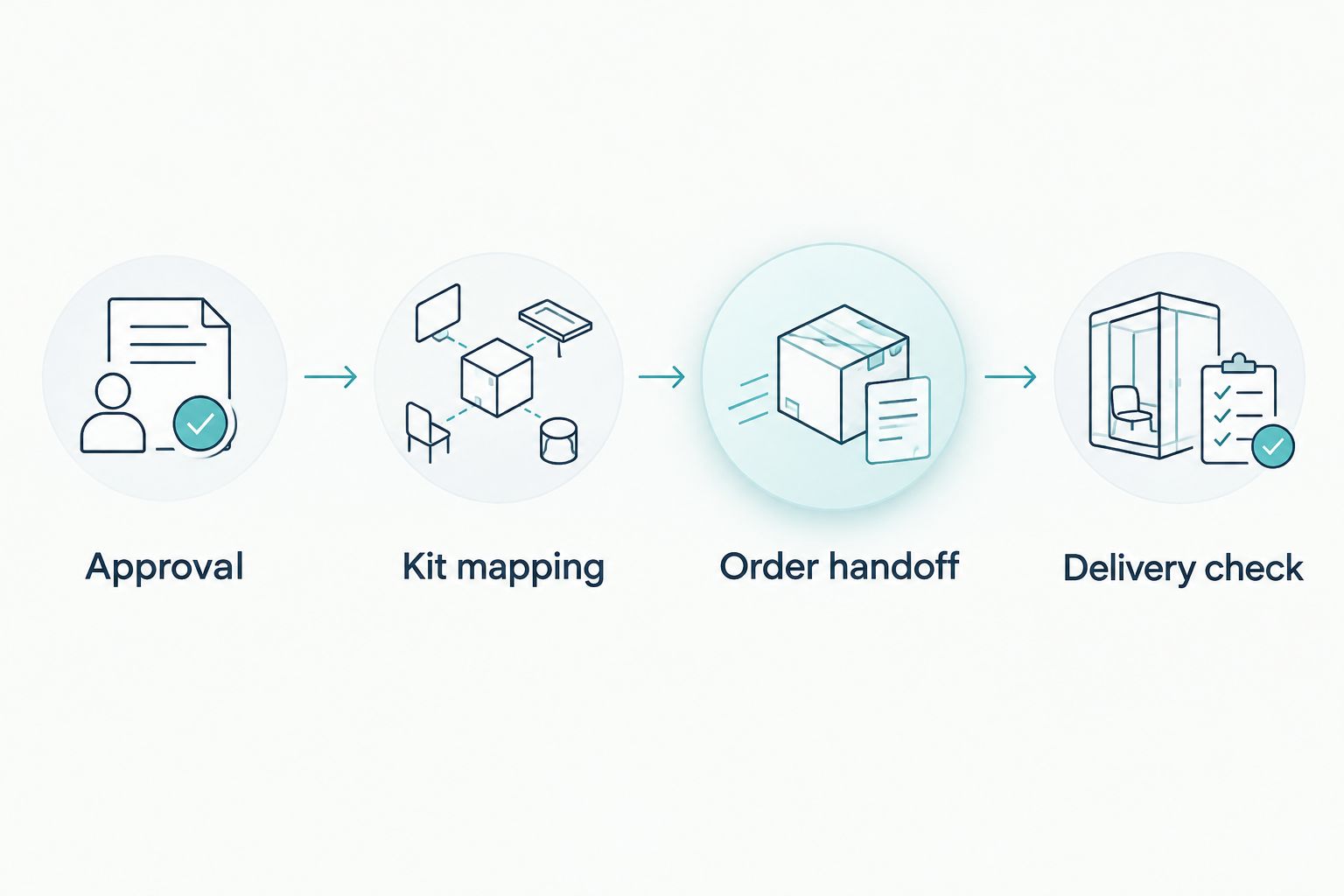
A controlled handoff follows this sequence:
- Approval: Confirm the courier meets your release conditions.
- Kit mapping: Resolve the approved SKUs and quantities.
- Order handoff: Obtain the receiving order reference.
- Delivery check: Reconcile the shipment outcome against the request.
Delivery reconciliation
Close the loop after dispatch
- Map Receiving order reference, Shipment reference and Delivery status back to the original request. Preserve the link even when fulfilment creates more than one shipment.
- Define the delivery events your source actually provides. Keep dispatched, delivered and delivery exception distinct; do not infer delivery from dispatch.
- Assign an owner to unresolved delivery exceptions. Record the next action, such as destination correction or investigation with the fulfilment provider.
- If your process collects courier receipt confirmation, store it separately from the carrier’s delivery event. Each answers a different operational question.
- Close the gear request only when your documented completion rule is met. Keep onboarding decisions separate from fulfilment outcomes.
Expected result: Your team can trace an approved courier to a kit request, an accepted order and the recorded delivery outcome. Open exceptions retain an owner instead of disappearing into a general completed status.
Boolanga’s branded courier gear service spans design, manufacturing, distribution and software. The practical advantage of that scope is a single partner brief across those functions; the implementation constraint is that you still need to agree data ownership, handoff responsibilities and exception handling.
Define your courier gear workflow
Discuss kit specifications, fulfilment handoffs and software requirements for your courier operations.
Address changes and replacement requests
An approved address change and a replacement request need different handling. Neither should rerun the original onboarding event without checking the existing order.
Route changes according to fulfilment progress
- Compare the proposed change with the current order record. Identify whether it changes the destination, kit selection or order purpose.
- Before an order is accepted, correct the pending request and preserve its history. Do not create another request merely because a field changed.
- After acceptance, use the fulfilment partner’s agreed amendment process. Record the outcome rather than assuming that an edited onboarding record updates warehouse instructions.
- For an approved replacement, create a separately identified request linked to the original order. Record the replacement reason and the approving owner.
Expected result: Changes remain traceable, and initial-kit duplicate prevention does not block a separately authorised replacement.
This variant adds an approval step but protects the order history. For 2026 operations, make amendment ownership part of the launch checklist rather than leaving it to whichever team first receives the courier’s message.
Troubleshooting
An approved courier never reaches fulfilment
Check the gear release condition before investigating the transfer. A missing size, destination or kit mapping should hold the request deliberately. Show the failed condition and its owner so an approval does not look like a lost order.
Repeated approval events create duplicate requests
Check whether retries reuse the original request identity and whether duplicate checks run before creation. A timeout leaves acceptance uncertain; look for the receiving order reference before sending another create instruction.
A correct request produces the wrong kit
Compare the transmitted SKU identifiers and kit version with the accepted order. If the outgoing mapping is wrong, correct the mapping. If the accepted order differs from the transmitted request, investigate the handoff with the fulfilment owner instead of editing unrelated onboarding fields.
An address edit does not change the shipment
Check whether the order had already been accepted or dispatched when the edit occurred. Follow the agreed amendment process and record confirmation. Changing the source record alone is not proof that downstream instructions changed.
A delivered status leaves an unresolved courier issue
Compare the shipment reference, order contents and courier report. A delivery event does not establish that every expected item was received correctly. Keep the issue open under the documented exception process until the responsible owner resolves it.
Customize your workflow
Expand the process only after approval, kit mapping, handoff and reconciliation work together. Add a new country or kit version through controlled configuration, then repeat the valid-record, incomplete-record and duplicate-event tests.
For country expansion, assign ownership for destination requirements, permitted courier-data transfers and local kit approvals. For equipment expansion, review the carrying method and garment requirements before adding SKU mappings. A new field is useful only when someone owns its meaning and maintenance.
Keep service scope separate from technical acceptance. Boolanga can be evaluated as an end-to-end courier gear partner, while your implementation assessment should establish the actual supported transfer method, acknowledgement process and exception responsibilities.
FAQ
How do I connect Uber Eats courier onboarding to branded gear delivery?
Use an authorised onboarding approval record to release a validated gear request, then reconcile the receiving order and delivery outcome. Confirm the supported transfer method with the systems and fulfilment partners involved rather than assuming a ready-made integration exists.
Does this workflow explain how an individual signs up for Uber Eats?
No. This workflow is for enterprise teams managing courier gear after their documented eligibility and release conditions are met; it is not an individual courier registration guide.
Should a gear order start as soon as a courier applies?
No: the workflow described here starts only after approval and complete fulfilment details. Keep application status and gear release status separate so incomplete records cannot become shipment instructions.
What courier information belongs in a branded gear request?
Include the stable courier identifier, approved kit mapping and details required by the receiving fulfilment process. Transfer only information authorised for that purpose, and validate destination and size fields where the kit requires them.
How do I stop duplicate courier kit orders?
Check the courier identifier, order purpose and applicable entitlement before creating a request. Preserve the request identity across retries and investigate uncertain acceptance before issuing another order.
Can I use the same workflow for replacement gear?
Yes, with a separately authorised replacement request linked to the original order. Record the replacement reason so duplicate prevention can distinguish a legitimate replacement from a repeated initial-kit request.
Can Boolanga support an enterprise courier gear programme?
Boolanga designs, manufactures, distributes and provides software for branded workwear, uniforms and courier gear, serving enterprise clients across 35+ countries. Confirm the specific workflow requirements, data exchange and responsibilities directly before implementation.
One last thing
Test the uncertain handoff, not just the successful order. Deliberately interrupt a test transfer after submission, then establish whether the receiving system accepted it before allowing a retry. That exercise exposes the gap between a message being sent and an order being created.