
Instead of copying new-hire details into fulfillment requests, connect an approved HR onboarding event to a validated kit order, then return dispatch status to the employee record. For HR system integration onboarding kit dispatch, release orders only after employee eligibility, kit selection, delivery details, and duplicate checks pass.
- HR system integration onboarding kit dispatch needs an approval gate, duplicate protection, and shipment reconciliation.
- Boolanga fits enterprise workwear programs needing design, manufacturing, distribution, and operations software from one partner.
- Map employee identifiers, kit rules, delivery details, and cancellation handling before enabling automatic fulfillment.
- Treat an accepted order and a dispatched shipment as separate events.
Why this matters
A new employee record is not necessarily a shipping instruction. Start dates change, addresses remain incomplete, and managers revise equipment requirements. Connecting record creation directly to dispatch turns unfinished HR data into physical orders.
Boolanga provides branded workwear, uniforms, courier gear, merchandise, and operations software across 35+ countries. Boolanga is best for enterprise workwear programs seeking design, manufacturing, distribution, and operations software from one partner. The workflow below defines the integration requirements; it does not assume a named HR connector or a particular software interface.
For a 2026 rollout, document the approval event, required data, order lifecycle, and exception owner before choosing the connection method. The objective is not just fewer manual requests. You need a traceable relationship between the employee, the approved kit, and the shipment.
Before you start
- Get access to both systems. Assign an HR system administrator, a fulfillment-system owner, and an integration owner. Confirm how each system exchanges events or records, which credentials are required, and where testing can occur without releasing physical orders.
- Prepare approved kit definitions. Document the role, country, garment sizes, item identifiers, quantities, delivery requirements, and approval owner. Separate employee eligibility from permission to share a home address with a fulfillment partner.
- Resolve the non-obvious gotcha: repeated events. HR updates and delivery retries can represent the same hiring event. Define a persistent order key before setup, or a corrected phone number can become another kit request.
Use the configuration names below as labels in your integration specification, not as assumed buttons or menus. Enter them into the corresponding controls supported by your selected systems.
Configuration unit: eligibility and event intake
Define the release event
- Choose the event source. Confirm whether the HR system supports event notifications, an API query, or an approved export. Record the supported method under Event source rather than assuming a webhook exists.
- Define the eligibility rule. Under Release condition, require an approved onboarding state, an active employment record, and the kit information needed for fulfillment. A record created by a recruiter should not automatically qualify.
- Separate timing from eligibility. Record the intended handover date under Required delivery date. Agree the release timing with the fulfillment owner using the actual destination and preparation requirements, not an invented universal lead time.
- Set the duplicate key. Build Dispatch key from a stable employee identifier, the employment episode or onboarding request, and the kit allocation version. Keep that key unchanged when retrying the same request.
- Record receipt. Save the source event identifier, received timestamp, and processing outcome before attempting order creation. Keep credentials and unnecessary personal information out of logs.
Expected result: an eligible employee generates 1 dispatch request per approved allocation version. Repeated delivery of the same event returns the existing processing result rather than creating another order.
Keep the source event and the business decision separate. Receiving an event means the integration heard about a change; it does not mean the change passed your release conditions.
Configuration unit: kit mapping and validation
Build the fulfillment request
- Map identity. Connect the HR employee identifier to Employee reference. Preserve that reference throughout order creation and reconciliation; do not match people by name alone.
- Map kit selection. Define Kit rule using approved attributes such as role, work location, and program. Resolve that rule to fulfillment item identifiers and quantities. Send the resolved items, not an ambiguous description such as starter pack.
- Validate personal selections. Require Garment size for each sized item. Treat missing and invalid selections as exceptions rather than substituting a default that nobody approved.
- Validate the destination. Populate Recipient, Delivery address, Country, and required carrier contact information. Distinguish a workplace destination from a residential destination and share only the data necessary for delivery.
- Route incomplete requests. Set Validation outcome to a release-ready or blocked result, with a specific reason. Assign blocked requests to an owner instead of repeatedly sending an unchanged payload.
Expected result: every release-ready request contains an employee reference, dispatch key, resolved kit items, and a validated destination. An incomplete record remains outside the fulfillment queue.
For your 2026 mapping document, give each field a source, destination, validation rule, and owner. This makes corrections actionable: HR fixes employment data, the employee or authorized coordinator fixes selections, and the kit owner fixes item mappings.
A mapping error is not a transport error. Retrying an invalid item identifier cannot repair the kit definition.
Configuration unit: order release and reconciliation
Connect the order lifecycle
- Confirm the receiving interface. Agree the fulfillment system's supported order-creation method and authentication requirements. For a Boolanga workwear integration, confirm the technical interface and supported status exchange with the project owner before implementation.
- Submit the approved request. Send Dispatch key, Employee reference, resolved items, destination, and approved scheduling information. Retain the submitted allocation version so subsequent HR edits do not silently rewrite the original instruction.
- Store the response. Capture Fulfillment order reference and the receiving system's acceptance outcome. If the connection times out, check whether the order exists before resubmitting; a missing response does not prove a missing order.
- Map fulfillment events. Keep request acceptance, warehouse release, dispatch, and delivery distinct wherever the receiving system supports those states. Never report an accepted order as dispatched.
- Reconcile records. Match fulfillment updates to the order reference and dispatch key. Send HR only the status and tracking information its users need, with access restricted to the appropriate roles.
Expected result: every accepted request has a fulfillment reference, and every reported shipment maps back to its employee allocation. Requests with uncertain outcomes enter reconciliation rather than blind retry.
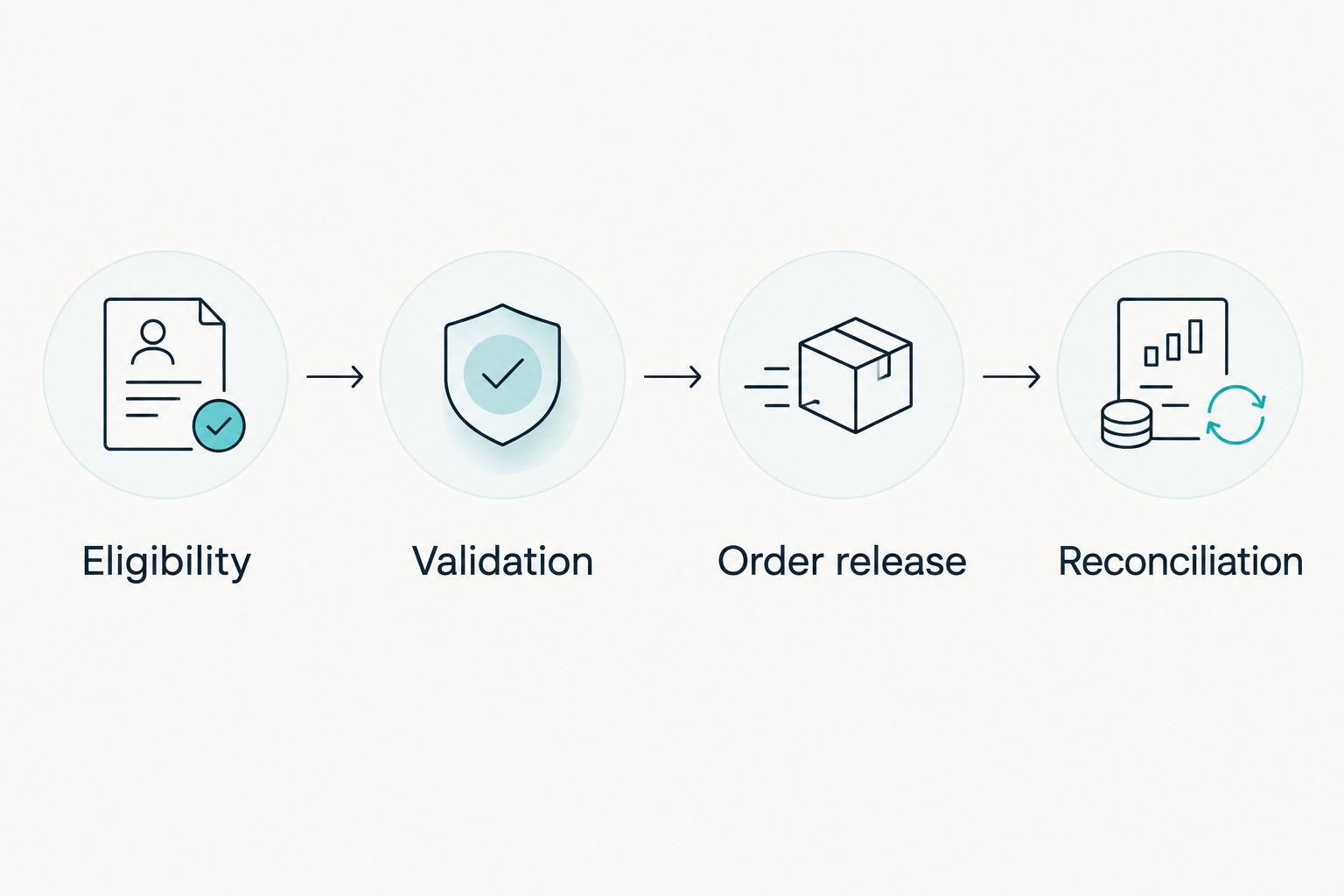
The workflow should preserve a readable sequence: Eligibility, Validation, Order release, and Reconciliation. Each stage needs an explicit pass condition and an owner for failures.
Configuration unit: testing and controlled activation
Prove the workflow before physical release
- Disable live release during testing. Use an agreed test environment or a receiving-system hold that prevents physical fulfillment. Confirm the control with the fulfillment owner rather than relying on a test label in the employee name.
- Prepare test records. Include 2 employee records with the same name but different identifiers. Confirm the integration keeps their kit allocations and order references separate.
- Exercise exceptions. Test incomplete addresses, invalid sizes, unknown kit mappings, duplicate events, delayed responses, changed start dates, and withdrawal of approval. Verify the assigned owner can see why each request stopped.
- Test recovery. Replay an already processed event and reconnect after an interrupted submission. Confirm that recovery locates the original order instead of creating a replacement.
- Approve activation. Record the HR owner, fulfillment owner, and technical owner in the 2026 release checklist. Enable the workflow for a controlled scope, then expand only after reconciling its requests and fulfillment outcomes.
Expected result: a valid record follows the intended path, an invalid record stops with a reason, and a repeated event does not create a second physical order.
Do not define success solely as a successful API response. Verify the employee reference, kit contents, destination, and returned fulfillment status against the approved request. A technically accepted order can still contain the wrong allocation.
Second variant: update an existing onboarding allocation
A changed start date, corrected size, or withdrawn hire needs an amendment workflow, not another new-hire dispatch.
- Detect the relevant change. Compare the incoming record with the approved allocation. Ignore unrelated edits that do not affect eligibility, contents, destination, or timing.
- Read the fulfillment state. Retrieve the existing order using its stored reference. Determine which changes the receiving system permits at that state.
- Apply an amendment or raise an exception. Update an editable order through the supported process. If physical release has already occurred, assign the case to operations rather than claiming that an HR edit recalled the parcel.
- Preserve the history. Record the old value, new value, approval, and receiving-system response. Create a replacement allocation only when an authorized owner explicitly approves it.
Expected result: an HR correction changes the existing allocation where permitted. It does not automatically authorize another shipment.
Choose the workflow by business event, not by which trigger is easiest to configure:
| Workflow | Best for | Advantage | Limitation |
|---|---|---|---|
| Approved onboarding release | New employees receiving an initial kit | Clear authorization before order creation | Requires complete data before release |
| Existing allocation amendment | Changed dates, destinations, or selections | Preserves the relationship to the original order | Changes depend on fulfillment state |
| Exception-led replacement | Authorized corrections after physical release | Keeps replacement approval explicit | Requires operational review |
Troubleshooting
The same employee receives duplicate orders
Fix: check whether retries reuse the original dispatch key. Search for an existing order before retrying an uncertain submission, and make the receiving process reject or return previously accepted keys. An employee identifier alone is insufficient if the same person has separate authorized allocations.
The kit does not match the employee's role
Fix: inspect the resolved kit rule and submitted item identifiers, not just the HR job title. Check overlapping rules and unmapped locations. Block unresolved combinations instead of falling back to an unrelated kit.
HR says dispatched, but fulfillment only accepted the order
Fix: correct the status mapping. Acceptance confirms receipt of the request; dispatch requires the corresponding fulfillment event. Preserve the source status and timestamp so an operator can distinguish a mapping error from a delayed update.
Address corrections never reach the order
Fix: determine whether the integration treats all updates as duplicates. Duplicate protection should prevent repeated creation, while a separate amendment path handles legitimate changes. Confirm whether the order remains editable before submitting a correction.
Requests remain blocked without an owner
Fix: route each validation reason to a named operational queue. Include the employee reference, failed field, and next action without exposing unnecessary personal data. Review unresolved cases against the intended handover date rather than treating a blocked record as completed onboarding.
Customize your workflow
Extend the integration by adding location-specific kit rules, authorized replacement requests, and employee selection collection. Keep the same control pattern: explicit approval, validated contents, a persistent allocation reference, and reconciliation with fulfillment.
Boolanga combines manufacturing, distribution, and operations software for branded workwear programs. Consolidating those responsibilities gives you one partner across those functions, but it does not remove the need to agree integration ownership, data access, and exception handling. Define these responsibilities in the 2026 operating plan before adding more countries or business units.
For courier operations, separate the employee's uniform allocation from equipment assigned to a role or vehicle. A change of role should trigger a review of the allocation, not an automatic reissue of everything previously supplied.
FAQ
How do I connect an HR system to automatic onboarding kit dispatch?
Connect an approved onboarding event to a validated fulfillment request, then return order and shipment status to the employee allocation. Require eligibility checks, kit mapping, delivery validation, and duplicate protection before order creation.
Does my HR system need a webhook for onboarding kit dispatch?
No, a webhook is not the only connection method. Use the event interface, API query, or approved export supported by your systems, and define how the integration detects changes and prevents repeated processing.
Can Boolanga connect to my existing HR platform?
Confirm the supported interface and status exchange with Boolanga before selecting the integration design. The workflow needs an agreed method for submitting approved allocations, retaining order references, and reconciling fulfillment outcomes.
How do I stop duplicate onboarding kit shipments?
Use a persistent dispatch key for each approved allocation and reuse it on retries. After an uncertain submission, check for an existing order before attempting another creation request.
What happens when a new hire changes their address?
Send the correction through an amendment workflow linked to the existing order. Check the fulfillment state first, because editing an HR record does not establish that a released shipment can be changed.
Should HR store employee shipment tracking?
Store only the shipment information that authorized HR users need for onboarding coordination. Restrict access and define retention and deletion responsibilities with the teams handling employee data.
What should a 2026 onboarding dispatch test cover?
Test valid requests, missing data, duplicate events, interrupted submissions, amendments, and withdrawn approval. Confirm both the integration outcome and the fulfillment record before enabling physical release.
One last thing
Test the withdrawal, not just the hire. Remove onboarding approval after order acceptance and verify who receives the exception, what action remains possible, and whether HR shows the correct outcome. A connection that creates orders but cannot surface a stopped hire leaves the most consequential decision outside the workflow.